Safety and reliability
Safety and privacy.
The guards between you and a bad statement, what the audit log records, how secrets are stored, and an exact list of what leaves your machine and when.
The guards, in order#
No single switch makes a database safe, so Plasma stacks several. From outermost to innermost:
| Guard | What it does |
|---|---|
| Read-only connection | Refuses every write on every engine. |
| Prod tag | Destructive SQL always asks; writes on Redis and OpenSearch ask; every statement is audited. |
| Safe mode | Asks before dangerous statements, every write, or every statement, or refuses writes. |
| Safe Run | Shows the exact rows a write, or a script of up to 20 writes, changes before you commit it. |
| Staged edits | Grid changes wait for an explicit Commit, in one transaction. |
| Conflict detection | A commit does not overwrite a row someone else changed. |
| Audit log | A tamper-evident record of what ran. |
Safe mode#
Safe mode is a confirmation level for the SQL you run from the editor, the grid commit and the actions that write on your behalf. Set the default in Settings → Security → Safe mode (the default level is Confirm dangerous statements), and override it per connection in Advanced.
| Level | Behaviour |
|---|---|
| Off | Run everything without asking. |
| Confirm dangerous statements | DROP, TRUNCATE, DELETE and UPDATE without WHERE ask first. |
| Confirm every write | Any statement that may write asks first. |
| Confirm every statement | Every statement asks first. |
| Read-only | Statements that write are refused. Session statements (SET, BEGIN, COMMIT, …) still run. |
- What counts as dangerous:
DROP,TRUNCATE,DELETE, anUPDATEwithoutWHERE,ALTER … DROPorRENAME,MERGE,DOblocks,CALL,COPY … FROM,INSERT … ON CONFLICT DO UPDATEand data-changing CTEs.EXPLAIN ANALYZEcounts as its target statement. It is a heuristic, not a parser: a false positive only costs an extra confirmation. - Functions with side effects (such as
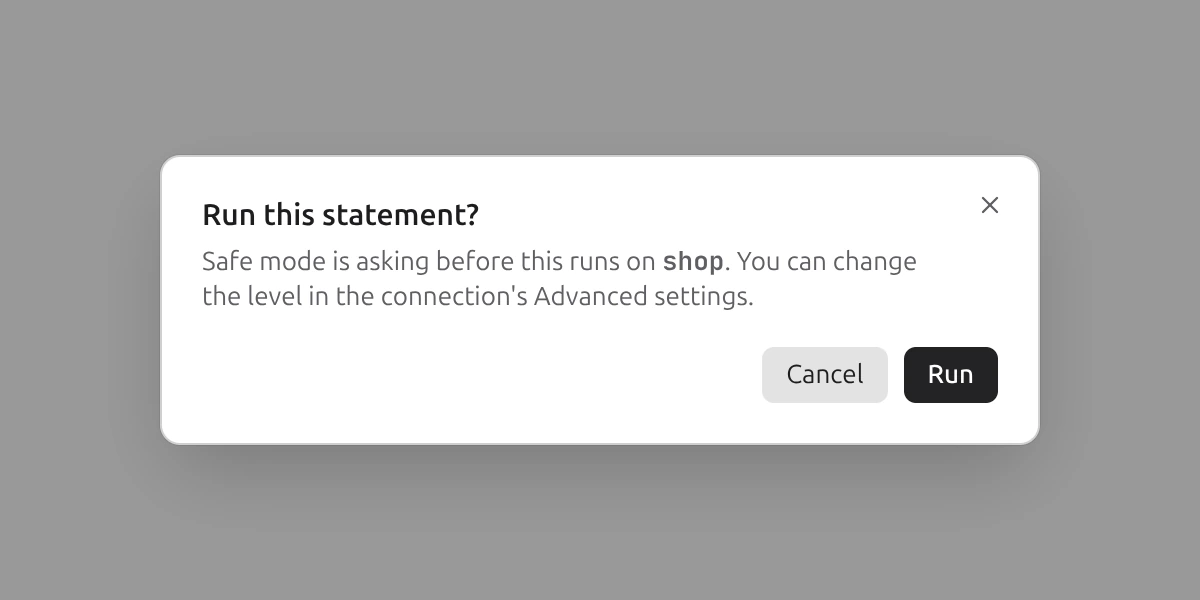
nextval,set_config,pg_terminate_backend, advisory locks andpg_notify) count as writes. At the Read-only level, aSELECTthat calls a function Plasma cannot vouch for asks first, because it might write. - The dialog is titled Run this statement? and names the connection; it points to the connection’s Advanced settings to change the level. For a grid commit it reads Commit changes?.
- Statements that a refused level blocks come back with a message saying Safe mode is read-only for the connection.
The Prod gate#
Tag a connection Prod (Connections) and it gets a stricter set of rules on top of Safe mode, whatever the level:
- A destructive statement or a grid commit asks first. The dialog reads Run destructive query on production? (or Commit changes to production?), reminds you to verify your
WHEREclause, and its confirm button is Run anyway (Commit). - The connection capsule in the top bar turns red so you cannot forget where you are.
- Read-only is suggested when you pick the tag.
- Safe Run is on for writes by default; Redis CLI writes and OpenSearch writes ask; deleting Redis keys by pattern needs the count typed in.
- The audit log records every statement on it.
- The AI assistant sends no schema until you opt that connection in; unverified TLS is not allowed.
A ClickHouse mutation (ALTER TABLE … UPDATE and similar) gets its own confirmation, Run an asynchronous mutation?, because it cannot be rolled back.
Read-only, enforced where the engine allows#
The Read-only switch is not just a greyed-out button. The main process classifies every request and refuses writes (including grid commits, DDL, imports, restores, Redis writes, OpenSearch index and document changes, pg_notify and Safe Run) before they reach a driver, and the engines add their own enforcement:
| Engine | Enforced by |
|---|---|
| PostgreSQL | The session is read-only and re-asserted before every statement, with a screen for statements that try to switch it off. |
| MySQL / MariaDB | A read-only session transaction, re-asserted before every statement, with a screen for READ WRITE and similar. |
| SQLite | A read-only file handle plus query_only. |
| ClickHouse | The server setting readonly=1, which the server refuses to lift. |
| DuckDB | A .duckdb file is opened read-only. |
| Redis | Every command is classified; anything not known to be a read is a write and is refused. |
| OpenSearch | Every request is classified; only known reads are allowed, including the SQL plugin, where the statement decides. |
Other places Plasma stops to ask#
- Closing a tab with unsaved SQL: Close “…” without saving?; with staged edits, Discard N changes?
- Switching or disconnecting with staged edits: Uncommitted edits, with Cancel, Discard and Commit.
- Quitting the window with unsaved work: Close Plasma and discard your work?, with Cancel and Discard and close.
- Dropping and truncating objects show the exact statement and a CASCADE option first.
- Restart to update lists what the restart would lose.
Audit log#
Open History and switch to Audit. Plasma appends a row for every statement run on a Prod-tagged connection; turn on Settings → Security → Record every connection, not only Prod to include all of them. Each row has the time, connection, database user, source, outcome, row count, duration and the statement. The source says where the statement came from: Editor, Grid commit, Safe Run, Structure, Import, AI suggestion, NOTIFY or MCP tool.
- Redacted. Statements and error text go through the same redactor as the query history:
PASSWORD '…'literals andpassword=values are masked, and error text drops the values it quotes. - Append-only and chained. The table refuses updates and deletes, and each row stores a SHA-256 hash of its fields plus the previous row’s hash. Verify log integrity replays the chain and tells you if a row in the middle was edited or removed. This is tamper evidence, not tamper proofing: someone with access to the database file could rewrite the whole chain.
- Retention. Entries older than Audit retention (30, 90, 180, 365 or 1,095 days; default 90) are removed, and the remaining log still verifies.
- Filter and export. Search statements, users and errors; filter by connection, outcome and date range; export CSV or JSON.
Masking#
Presentation mode masks sensitive values on screen, in the clipboard and in the AI context; the MCP server always masks. See Presentation mode and masking. Masking is display only: stored data and the values used for edits do not change.
Where secrets are stored#
- Database passwords, SSH passwords, keys and passphrases, OpenSearch credentials and the AI API key are encrypted with the operating system’s secret store through Electron’s
safeStorage(macOS Keychain, Windows Credential Vault, or libsecret / GNOME Keyring / KWallet on Linux). The ciphertext sits in Plasma’s local database; the interface process never receives a saved password back. - If the system has no usable secret store, Plasma refuses to save secrets. On Linux with no keyring it asks at startup: Don’t store secrets or Store with weak protection, the second meaning a fixed fallback key that every program on the computer knows. Choosing weak protection is remembered; declining is asked again at the next launch. Installing and unlocking a keyring, then restarting, is the better answer.
- Team workspaces never hold passwords: a profile that contains one is skipped. The password you type for a workspace connection goes to your keychain.
- The MCP token is the exception: the stdio bridge has to read it, so it lives in a file in Plasma’s folder that only your user can read (mode 0600 where the system has file modes).
- Logs and the support bundle remove secrets and never include query results, SQL you wrote, or row data.
What leaves your machine, and when#
Plasma has no account system and no usage analytics or crash-report upload. Beyond the databases you connect to, it talks to the network in these cases only:
| What | When | Where it goes | What it carries |
|---|---|---|---|
| Your databases | When you connect | The hosts you configure, directly or through your SSH bastion | Your credentials and queries, as the database protocol requires. TLS as you set it. |
| Update check | About 30 seconds after launch, every six hours while Plasma runs, and on Check now | Plasma's release feed (a Cloudflare R2 bucket), over HTTPS | A request for the signed manifest and, if there is a newer version, the installer or archive. No data from your databases. |
| What’s new | When you click it | Your browser | Opens the release notes page. |
| AI assistant, tasks and agent | Only when you use an AI feature, and only if you configured a provider | OpenRouter (and onward to the model vendor), the local server you named, or OpenAI / Anthropic through your own Codex / Claude Code program | The items in What is sent. See the AI page. With Codex or Claude Code the program runs on your computer with its shell, file and web tools off, and Plasma keeps no session. |
| Model list | When a model picker is shown (the Assistant message box or Settings → AI), even before you add a key | OpenRouter (or your local server) | A request for the public model list, with no key and none of your data. The OpenRouter list is cached on disk for six hours; a local server is asked each time. For Codex, the program is asked for its list; Claude Code uses a fixed list of three names. |
| DuckDB extensions | Only if you agree, the first time you open Excel files or attach PostgreSQL | extensions.duckdb.org | A one-time download of a signed extension. |
| MCP server | Only if you turn it on | Loopback (127.0.0.1) only | What your AI tool asks for, as described on the MCP page. Nothing is sent by Plasma to the Internet. |
| Links you click | When you click one | Your browser | GitHub, release notes. Plasma opens only http, https and mailto links. |
The app window can only show the app itself, denies browser permission prompts (camera, location, notifications and so on) and sends external links to your operating system’s browser.