One workbenchfor all yourdatabases.
- RelationalPostgreSQL
- RelationalMySQL
- RelationalMariaDB
- EmbeddedSQLite
- ColumnarClickHouse
- AnalyticalDuckDB
- Key-valueRedis
- SearchOpenSearch
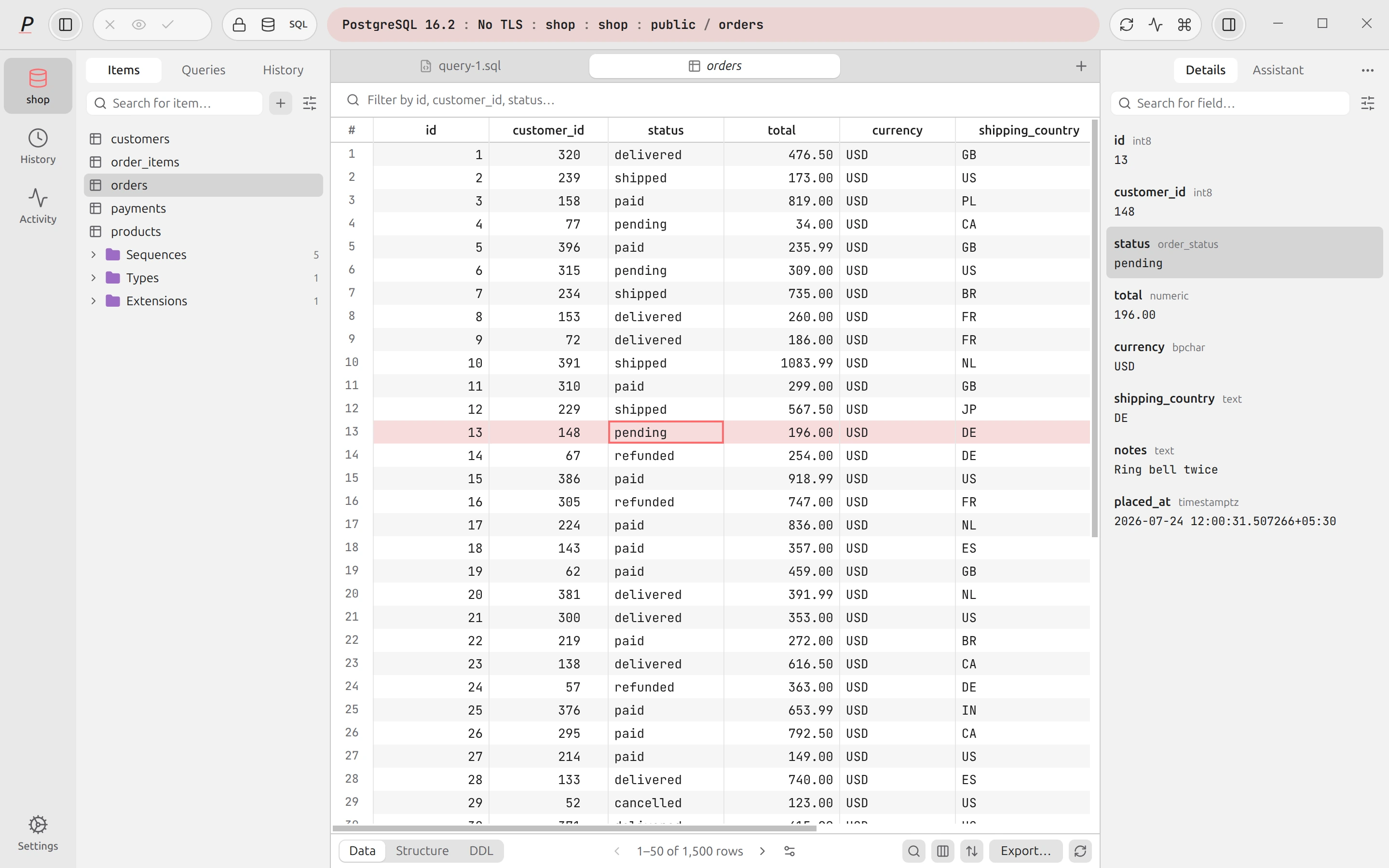
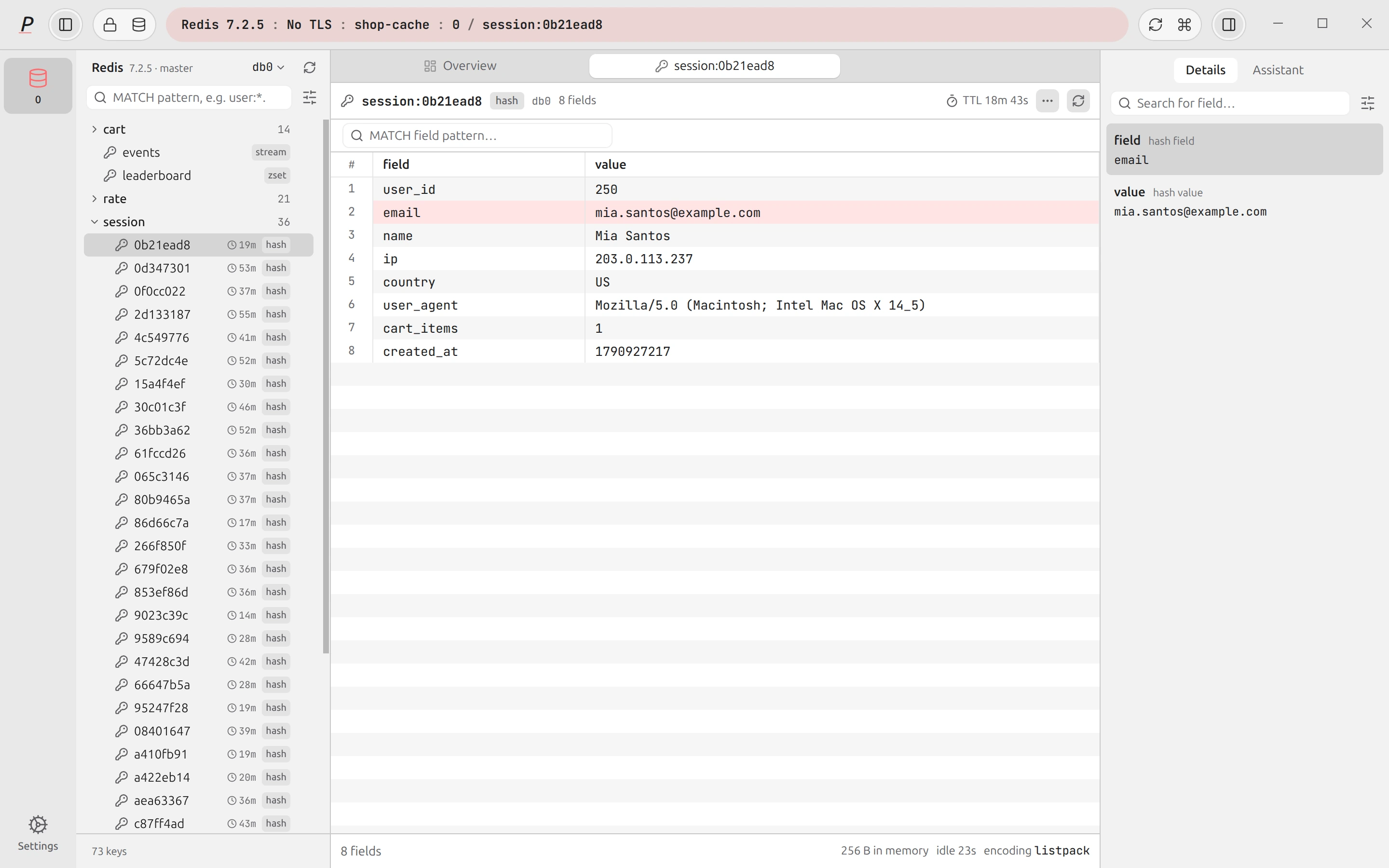
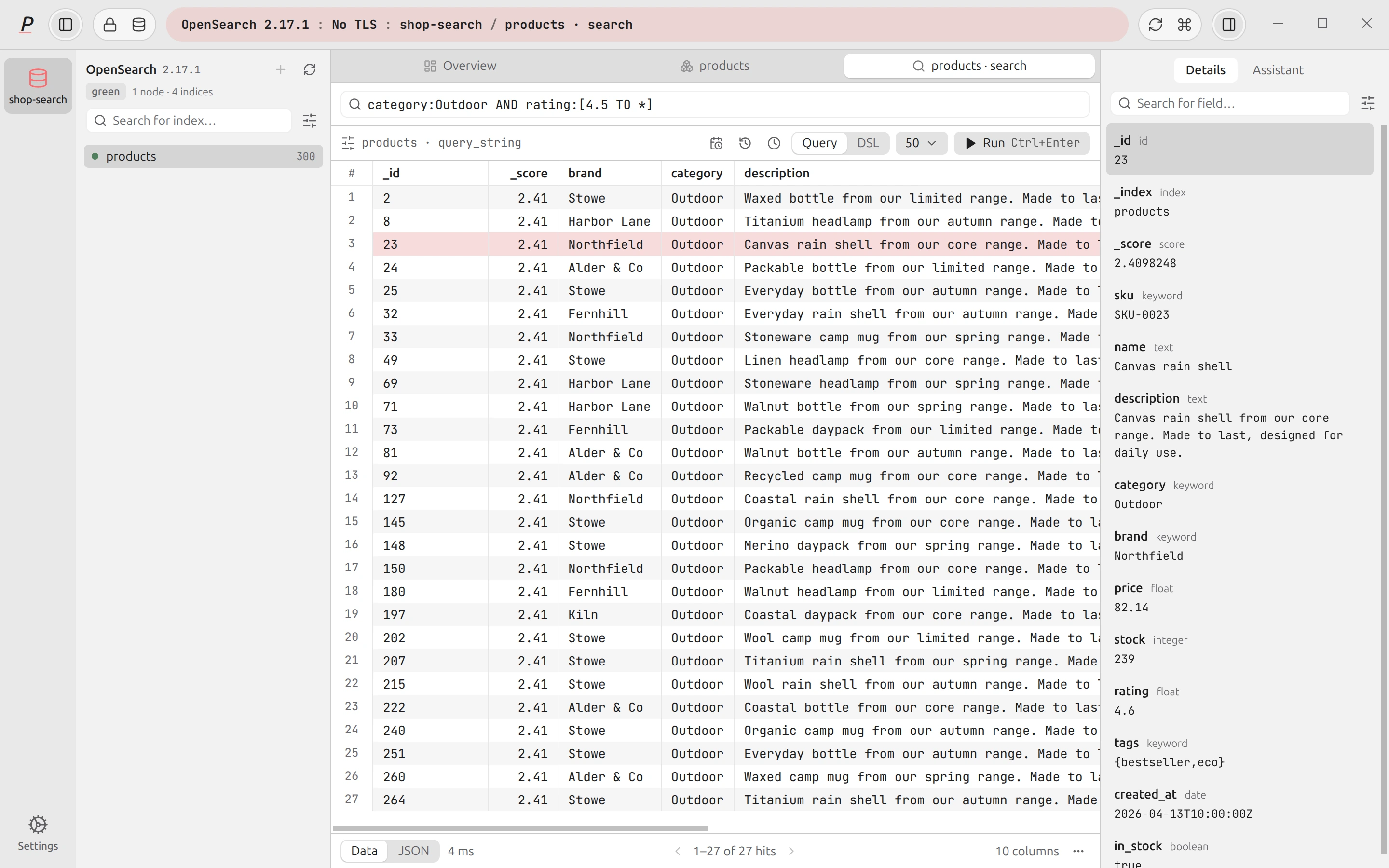
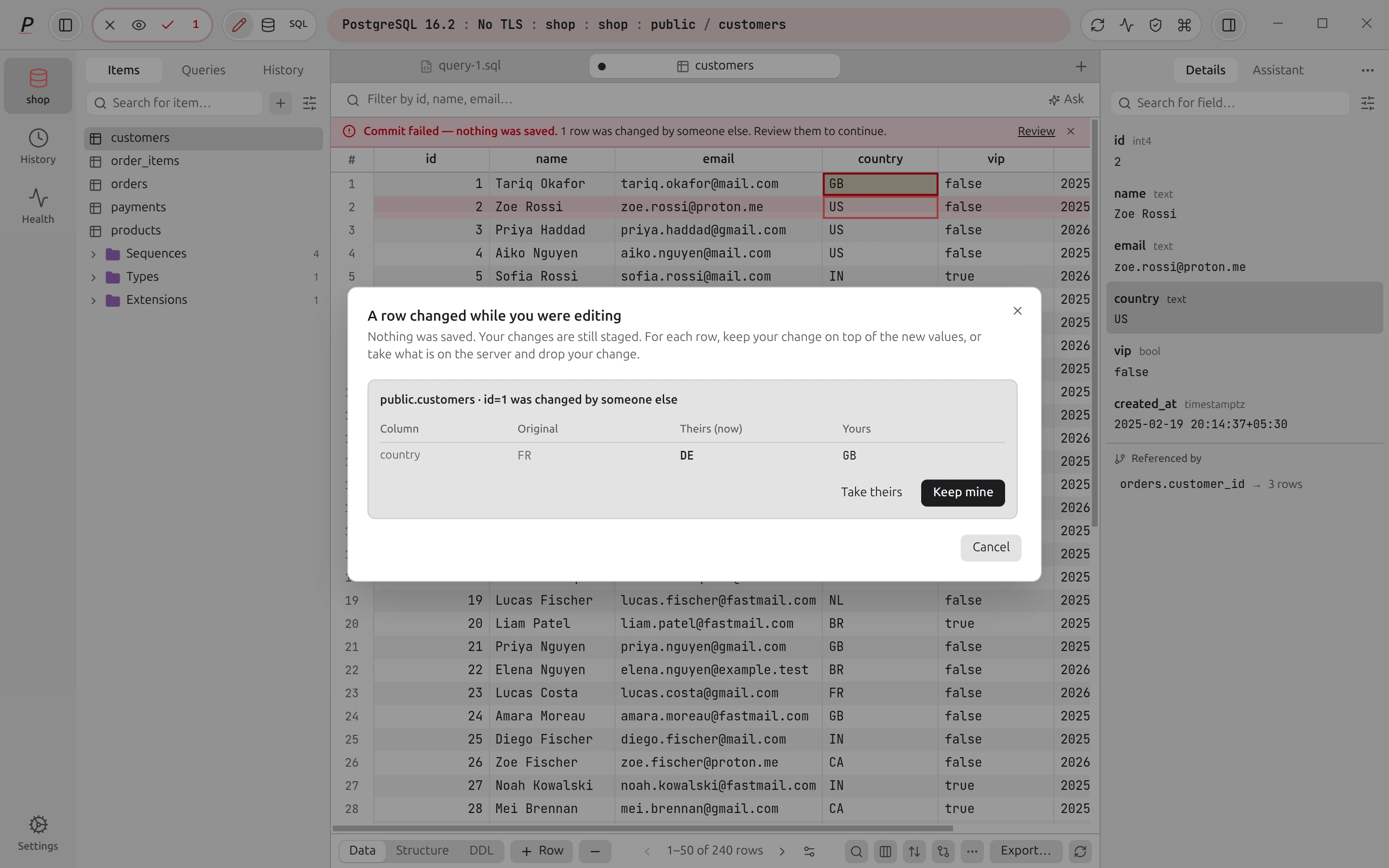
Capsule. Shows the engine, server, database and schema. The color shows the connection status.
Sidebar. Shows tables, views and functions. Type to filter them.
Grid. Edit cells, then commit all changes in one transaction.
Details. Shows the selected row as a form.
Everything you do with a database, in tabs.
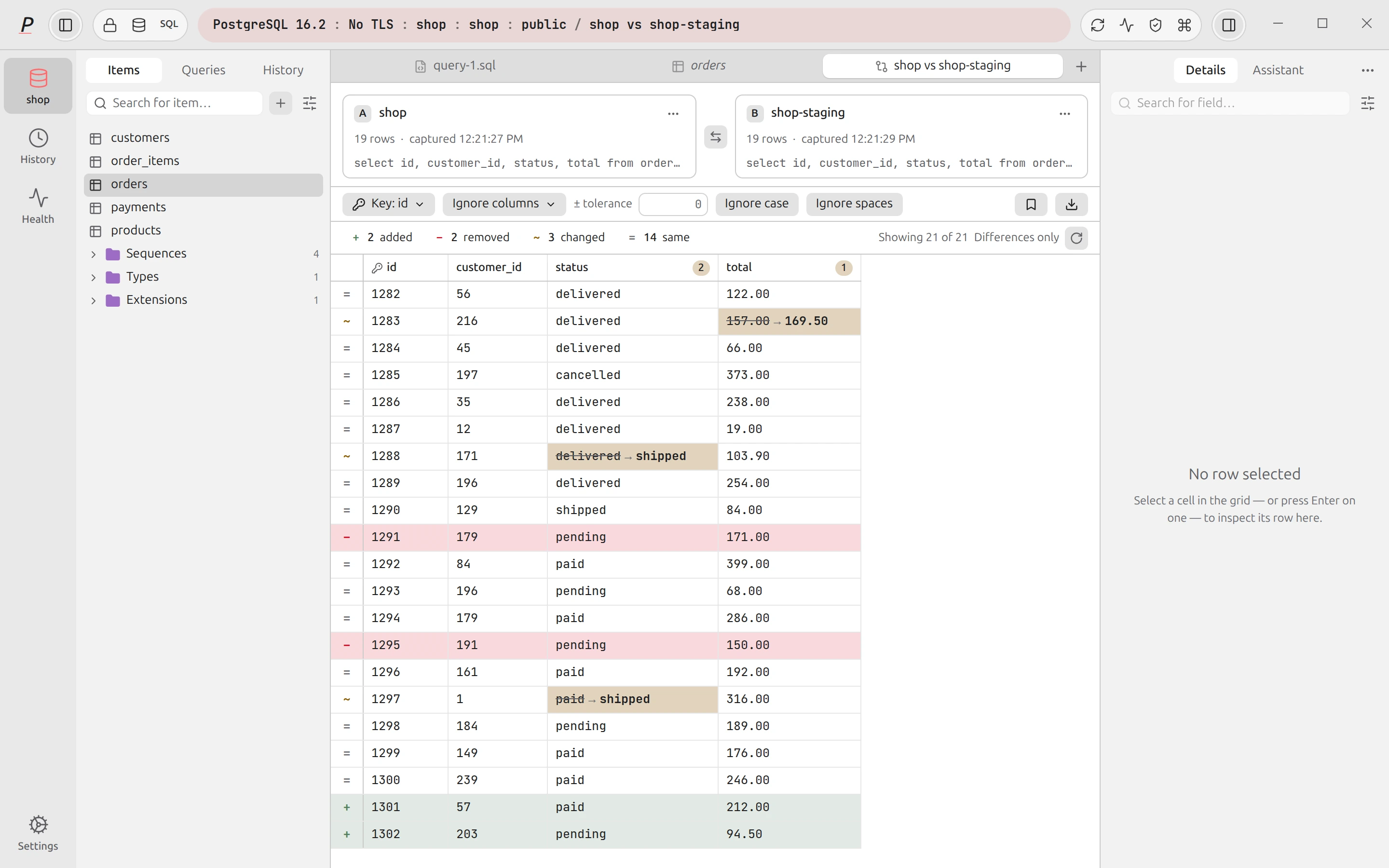
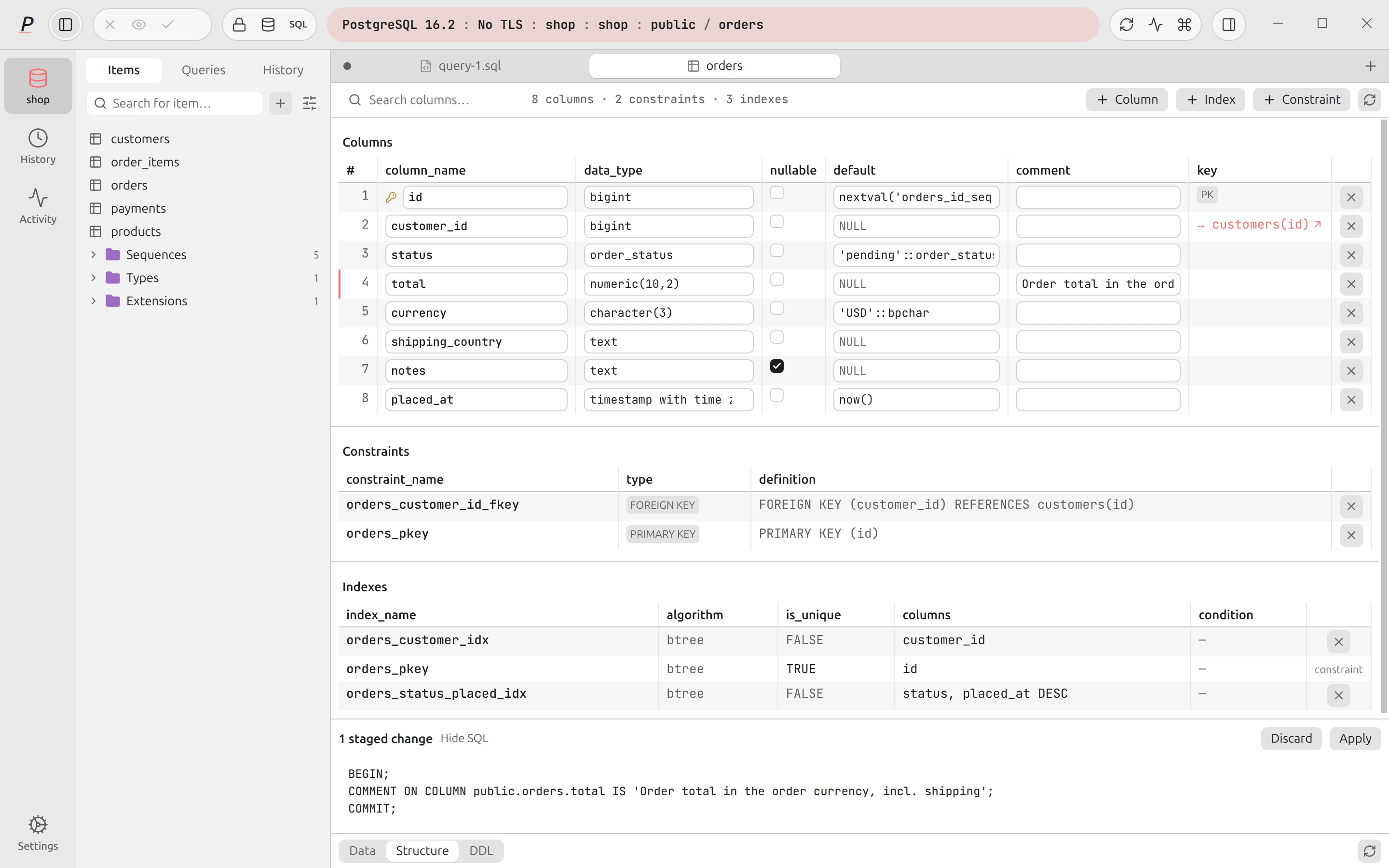
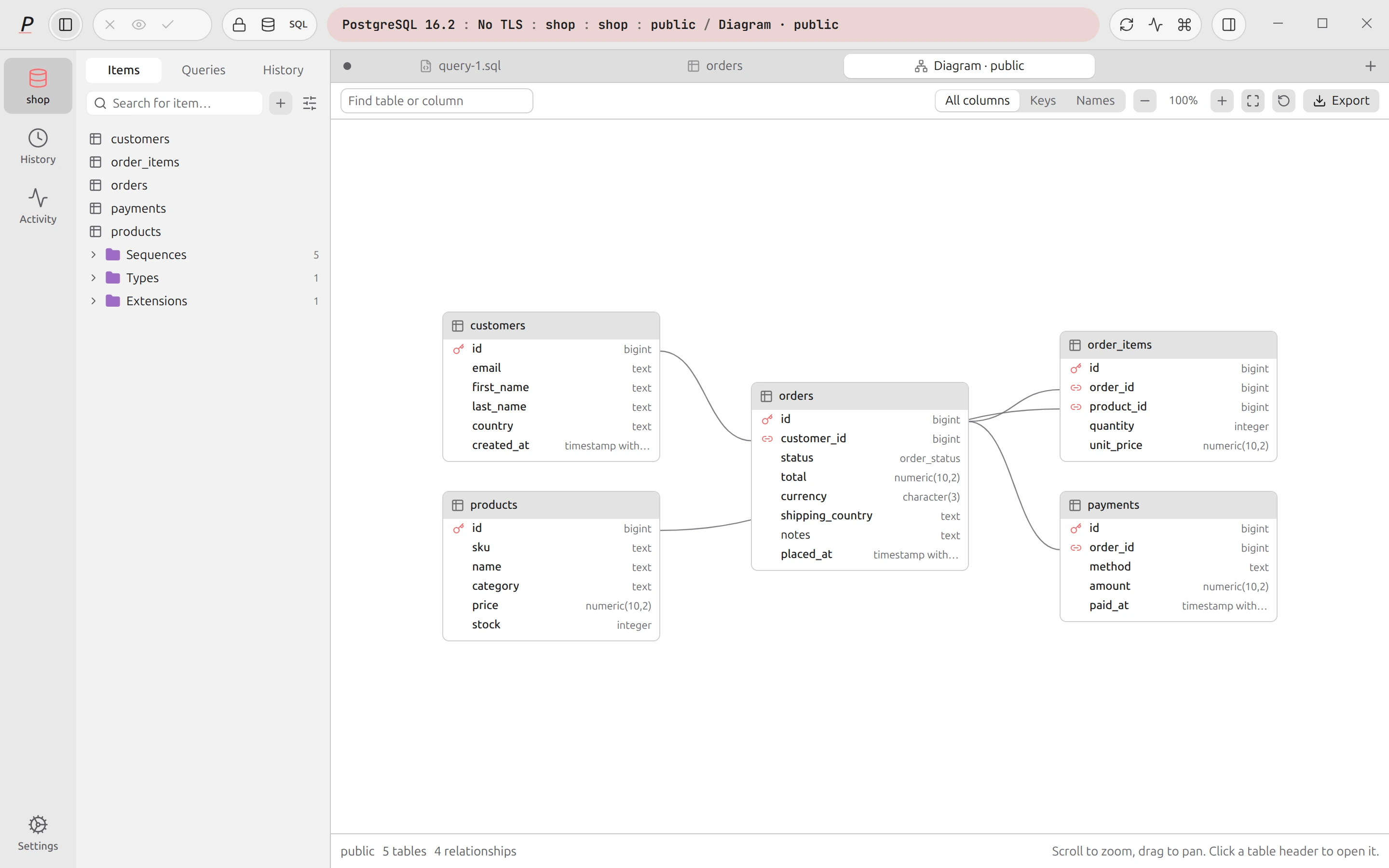
Each table and query opens in a tab. The sidebar shows your schema. The grid works like a spreadsheet, and nothing is written until you commit it.
Tour the workbench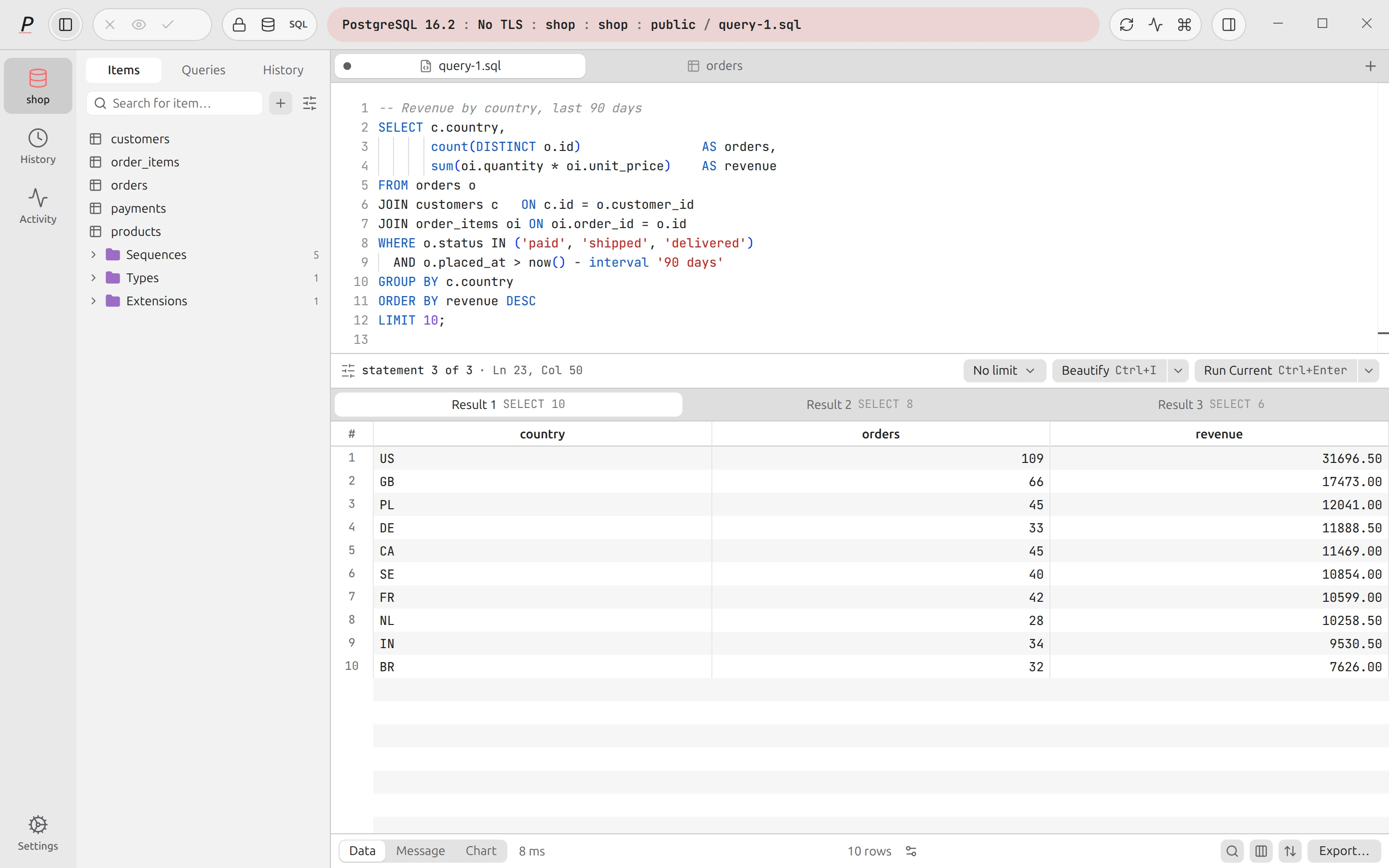
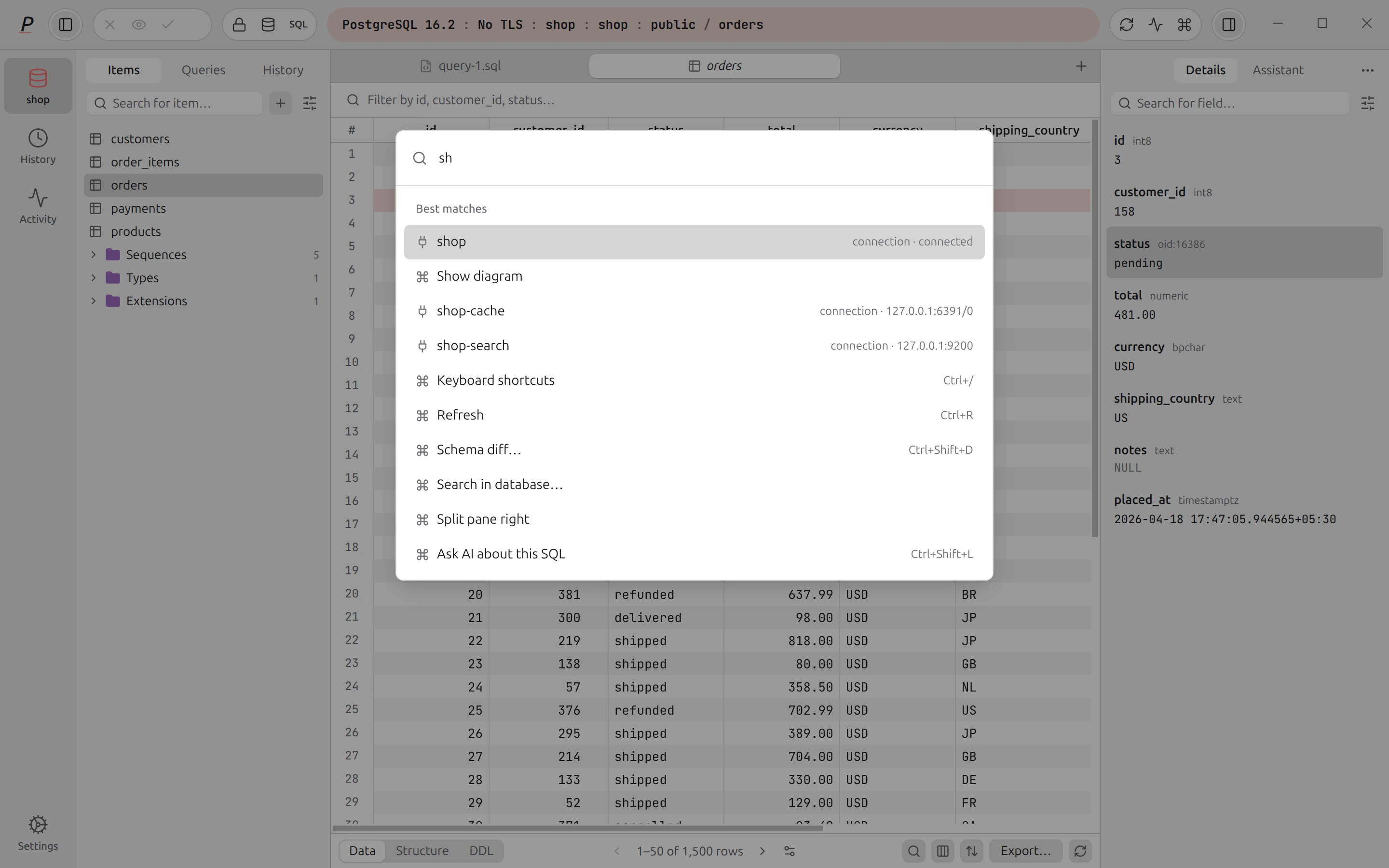
AI that asks before it acts.
The assistant works on your workbench through approval cards. It never changes anything by itself.
How the assistant works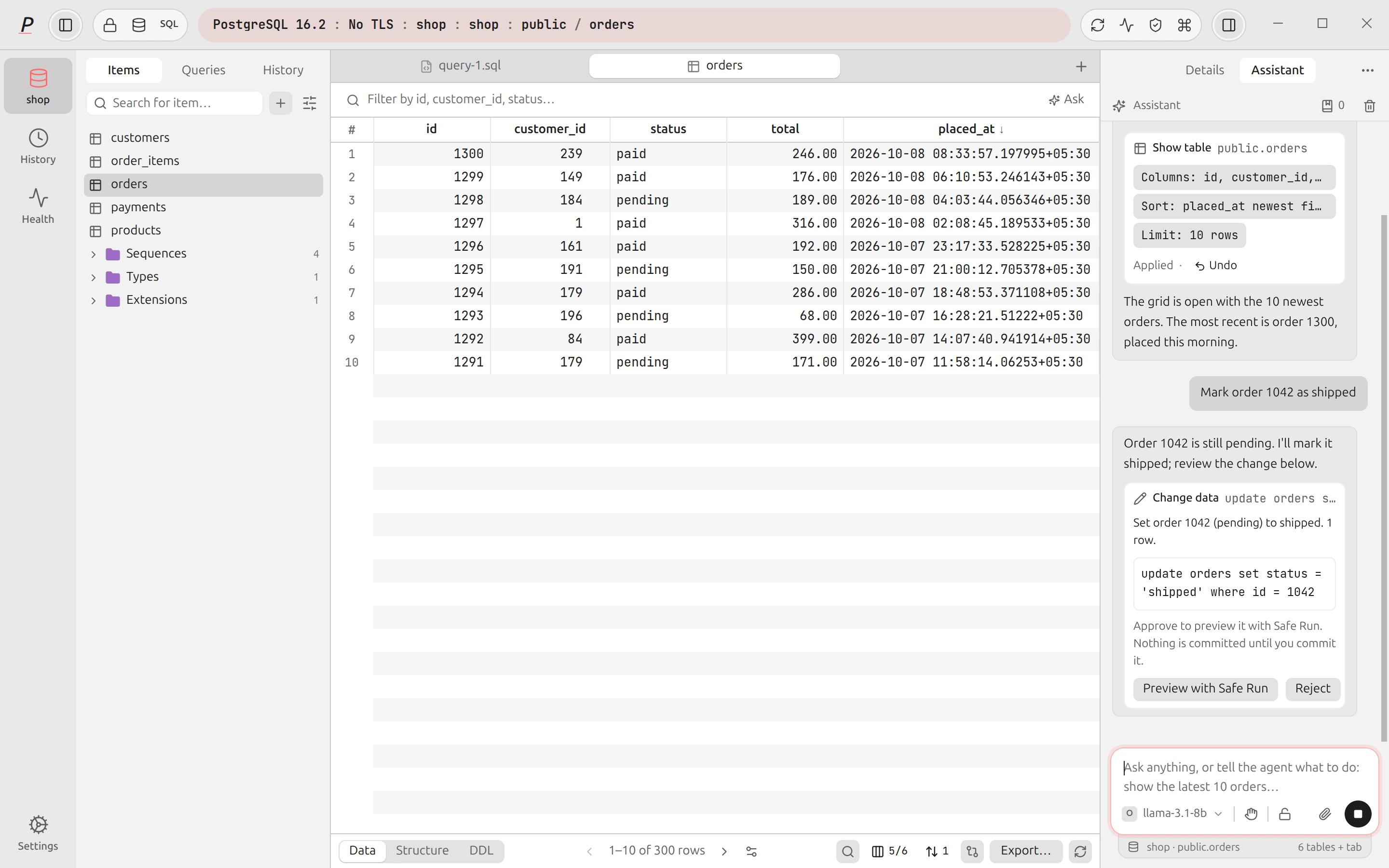
Detail · the approval card
The agent proposes. You read the card, then run it or reject it.
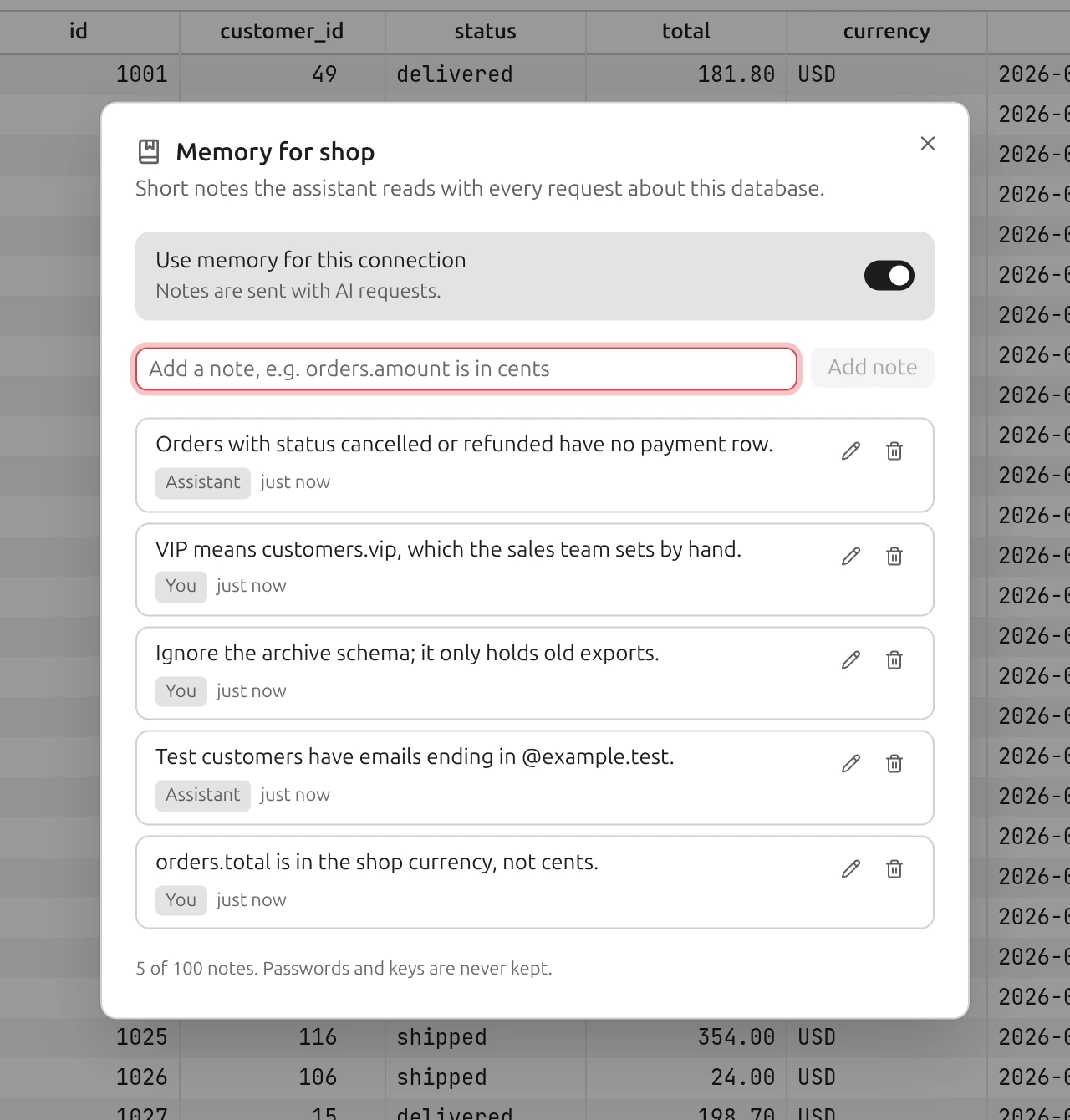
Database memory: notes about one connection, each labelled with who wrote it.
What it can do
- show_tableShow a tableFilter, sort, pick columns, latest first. You Apply the view, and can Undo it.
- run_queryRun a read-only queryOne read-only statement, such as a SELECT, in a new editor tab. It runs in a read-only session where the engine allows.
- propose_changePropose a changeOne statement with a summary. On PostgreSQL, approving previews it with Safe Run. You commit.
- open_in_editorDraft SQL in the editorThe SQL lands in a new tab. It is not run.
- AskAsk the filter barDescribe the view you want, such as the latest 10 orders. Apply it, or Undo.
- Fix and explainFix and explain errorsFix with AI on a failed query, Explain with AI on a plan. Both suggest. Neither runs.
- ImagesPaste a screenshotAttach or drop up to 6 images per message, for models that read them.
- MemoryRemember what the schema cannot sayShort notes per connection, such as amounts being in cents. You approve each note it proposes.
What is sent
Only what you allow, and the line under the message box says exactly what.
Prompts and that context go to the provider you chose. Pick a model from OpenRouter’s live list; the agent needs one that supports tool calling.
- SchemaNames and typesTable and column names, never values. Withheld on Prod until you opt that connection in.
- RowsOff by defaultOnly from connections where you turn on Let the AI read rows.
- MaskingSensitive values hiddenRows the agent reads are masked, and capped at 50 rows per result.
- ProviderYour key, or no keyYour own OpenRouter key, or a model on your machine with no key at all.
Your AI tools, through Plasma’s guardrails.
Claude Code, Cursor, Codex and Claude Desktop can look at your SQL databases, run read-only queries and propose changes. Plasma asks you before any change runs.
Set up the MCP serverClaude Code
Exampleplasma / list_connections
shop · postgres · propose
plasma / run_query
select status, count(*) from orders
group by status
4 rows · read-only session · masked
plasma / propose_change
update orders set status = 'shipped'
where id = 1042
waiting_for_approval
plasma / check_proposal
applied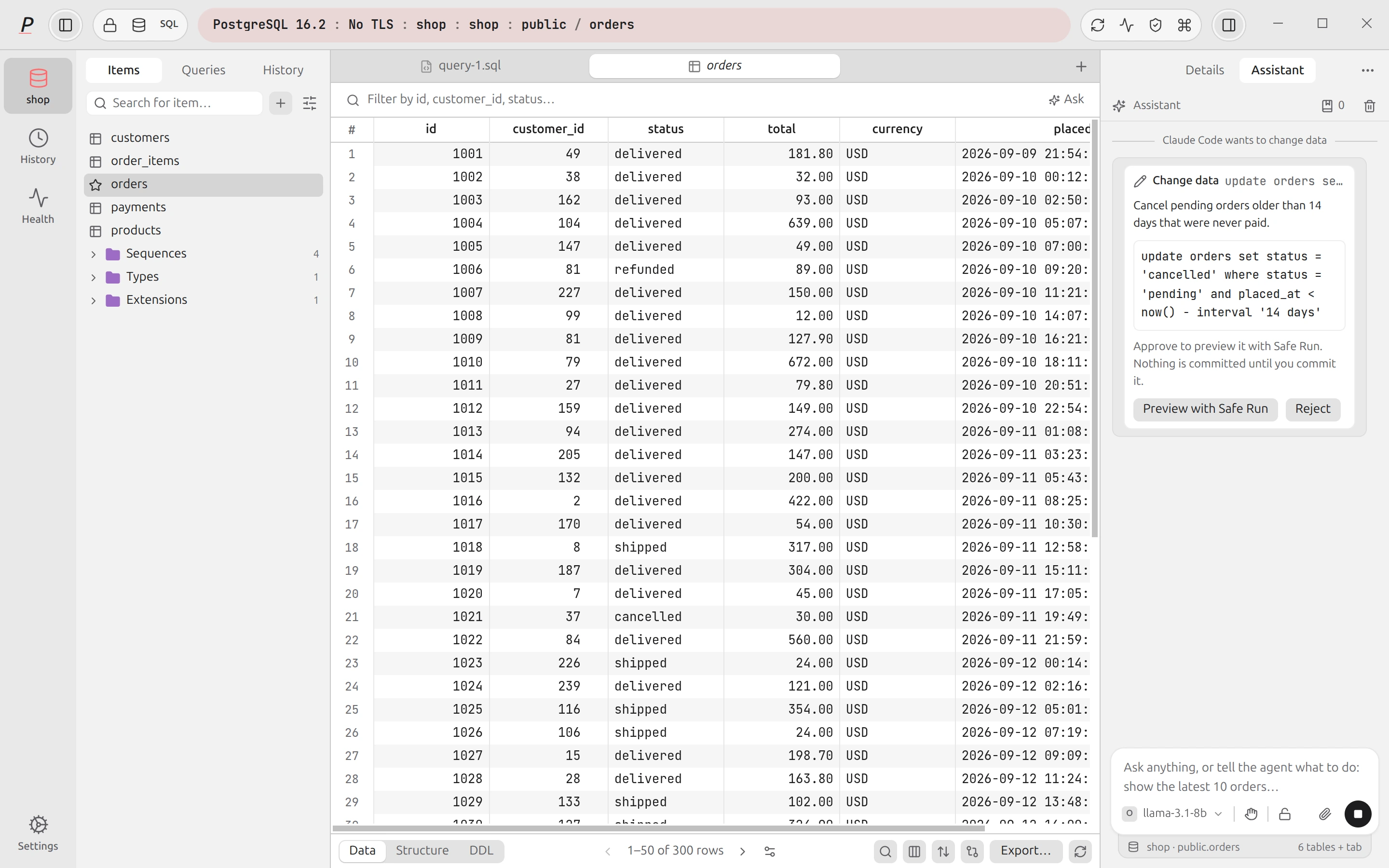
Detail · the change, waiting for you
The same request in Plasma: the exact statement, waiting for you.
Access, per connection
- OffNothing. The connection is not listed, and every connection starts here.
- SchemaThe tool sees the structure of the connection and its notes. In Settings: Structure only.
- ReadAlso runs read-only queries, with sensitive values masked. In Settings: Structure and read queries.
- ProposeAlso proposes one statement at a time on the connection open in Plasma. It runs only when you approve it. Not offered on read-only connections.
- This computer only
- The server listens on 127.0.0.1 and wants a token with every request.
- Masked by default
- Results hide emails, phone numbers, card numbers and sensitive columns.
- No credentials leave
- A tool never receives a password, host, user or file path.
Claude Code
claude mcp add --transport http plasma http://127.0.0.1:47321/mcp --header "Authorization: Bearer <token>"Copy the real line, with your token, from Settings → MCP server.
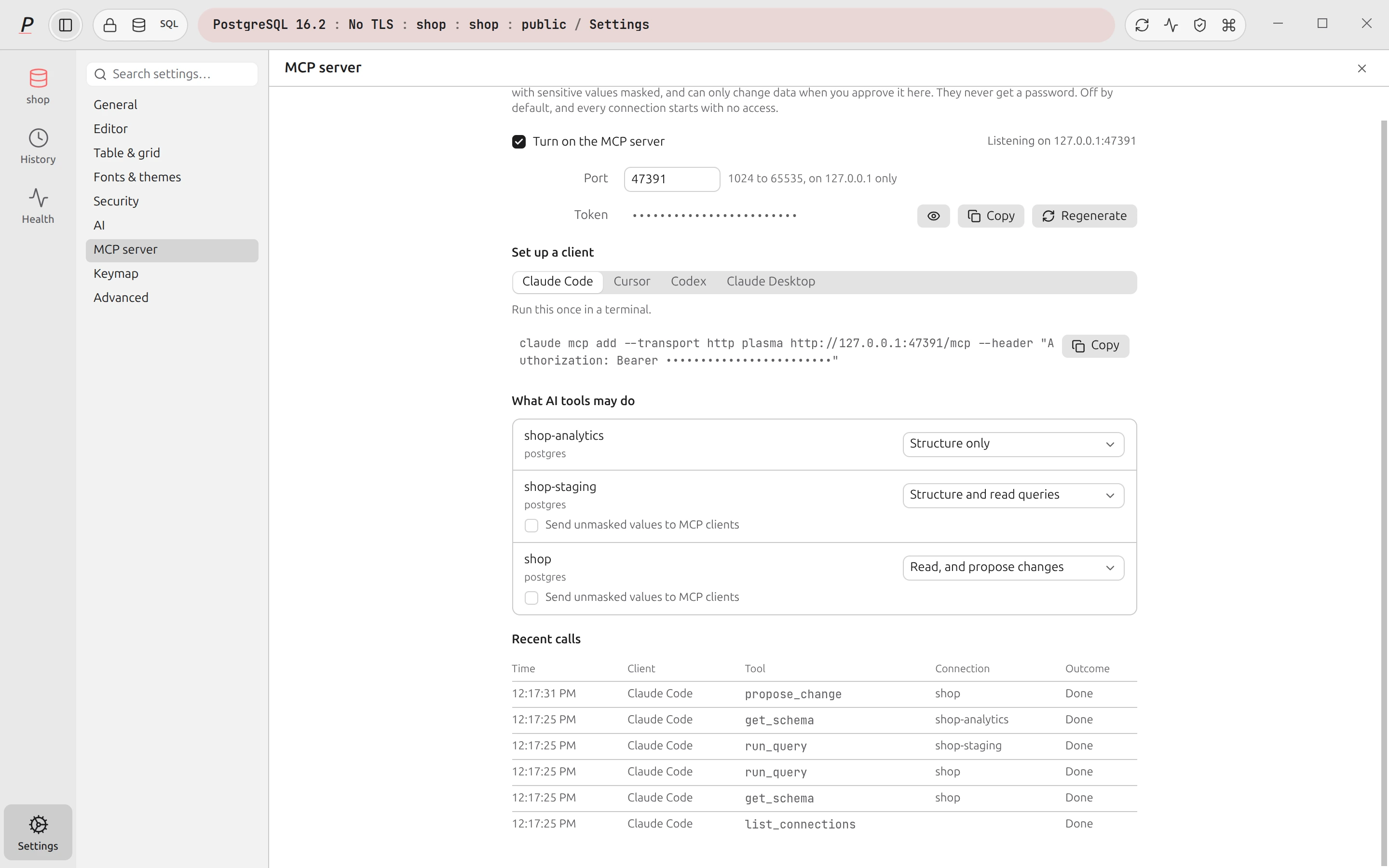
Settings: the switch, the port, your client, and the access level of each connection.
Careful with production, by design.
Plasma stops dangerous statements before they run, and shows you the effect before you commit.
Safe mode
Use the arrow keys to change the level.
shop / public
EditorStatement
› DROP TABLE orders;
Outcome · Asks first
Plasma asks before DROP, TRUNCATE, any DELETE, and an UPDATE without WHERE.
- PreviewSafe RunOn PostgreSQL, shows the exact rows a write changes before you commit it, or roll it back.
- GateProduction tagDestructive SQL always asks, the connection capsule turns red, and every statement is audited.
- EnforcedRead-only connectionsRefuses every write on every engine. The main process checks it, so the interface cannot bypass it.
- CompareConflict detectionA commit does not overwrite a row someone else changed. You choose Keep mine or Take theirs.
- LintMigration checkOn PostgreSQL, flags unsafe DDL in a script and shows the table locks each statement takes.
- RecordAudit logA tamper-evident record of every statement on Prod connections, and of every MCP tool call.
- HideMasking and presentation modeHides sensitive values on screen, in the clipboard and in the AI context.
- How the guards work
Built to be trusted with real data.
Laptops sleep, networks drop and apps crash. Plasma plans for it, and tells you plainly what happened.
Reliability and support- RecoverCrash recoveryTabs, unsaved SQL and staged edits come back after a crash or a power cut. Restoring never runs a statement.
- StatusClear query statusQueued, running, cancelling, cancelled. A write whose answer never arrived says outcome unknown, and is not repeated.
- DiagnosePlain-language connection errorsA failed connection says what is wrong and what to try, and highlights the field to fix when there is one.
- SupportSupport bundleLists every file and shows its text. You review all of it before saving. Nothing is uploaded.
- UpdateOne-click updatesDownloads in the background. Click restart and you are back where you were. Manifests are signed.
- VerifyA shared driver test suiteEvery SQL driver runs the same conformance scenarios; Redis and OpenSearch have their own. Skipping one needs a stated reason.
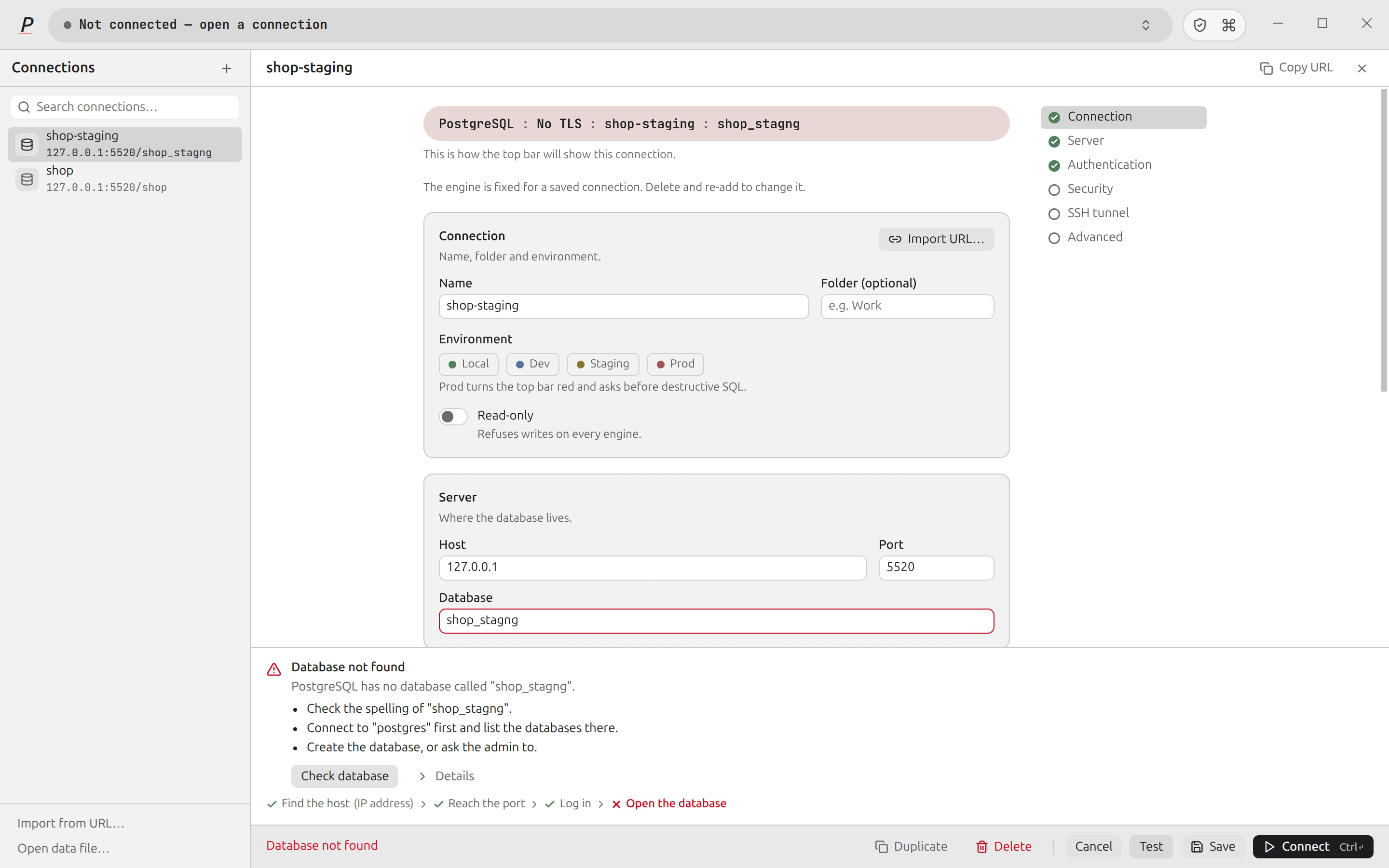
Detail · what failed, and what to try
A failed connection test: the step that failed, why, and what to try.
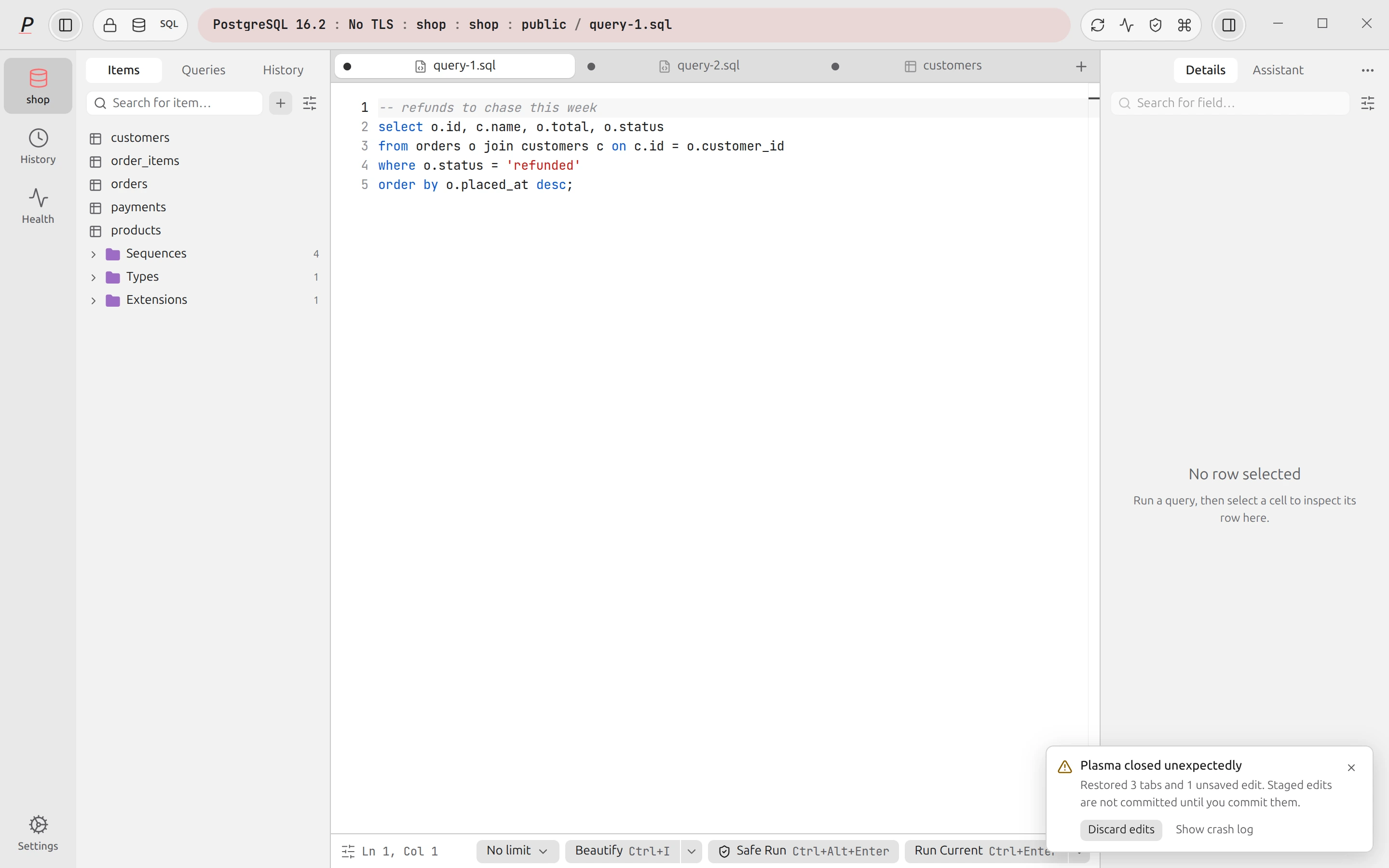
Detail · what came back
After a crash: the notice names what came back.
Eight engines. Each one treated as itself.
Each engine gets the tools it needs. The keys, the tabs, the Read-only switch and the Prod tag stay the same.
Relational
PostgreSQL
The full workbench.
- Safe Run previews the rows a write changes before you commit
- Health advisor: unused indexes, bloat, long sessions, lock waits
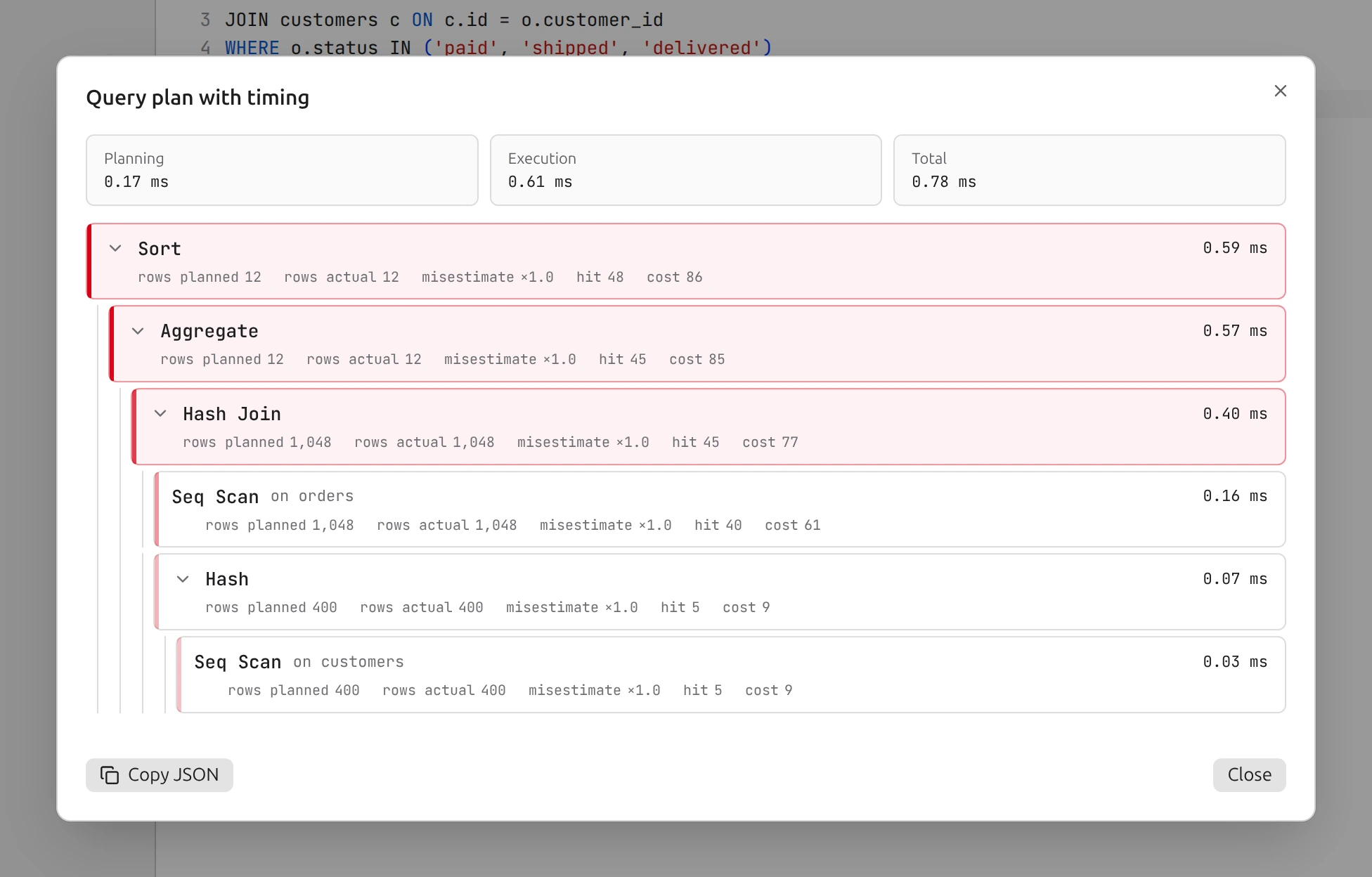
- EXPLAIN ANALYZE as a tree with timings
- Live LISTEN and NOTIFY tail
- Roles, backup and restore, schema diff, migration check
- pgvector similarity search and a PostGIS map preview
Keyboard first. Mouse optional.
Push a shortcut on your keyboard. The matching keys come on here.
All shortcutsControl K: Command palette
Control Enter: Run statement
Shift Control Enter: Run all
Control .: Cancel
Control S: Commit changes
Control B: Toggle sidebar
Control I: Beautify SQL
Option Control ]: Next pane
Local-first. No account.
Plasma keeps your connections, history and settings on your computer. Your OS keychain encrypts saved passwords.
What leaves your machineTeam workspaces
Keep shared connections, queries and snippets in a .plasma folder in git. Passwords stay out of the folder.
Where your data stays
- Connections, history, settingsOn your computer
- Saved passwordsYour OS keychain
- AccountNone
- AnalyticsNone
- AIOnly when you use it, to the provider you chose
- Model listA public request to OpenRouter when a model picker is shown. No key, no data
- MCP serverOff by default. This computer only
- Update checkAsks the update feed for the latest version
Install Plasma.
- Apple Silicon
- x64
- x64
The builds do not have an Apple signature yet. If macOS stops Plasma, open System Settings, Privacy & Security, and click Open Anyway. Or run this command:
xattr -cr /Applications/Plasma.appPick the AppImage or the .deb. The AppImage updates itself. The .deb installs an AppArmor profile so the Chromium sandbox keeps working on Ubuntu 24.04 and later, and needs administrator rights to update.
After this, Plasma updates itself: a button appears, you click restart, you are back where you were. This holds for macOS in Applications, a per-user Windows install and the Linux AppImage.
Questions.
Is Plasma free?
Yes. Plasma is free and open source under the Apache-2.0 license. The source code is on GitHub.
Which databases can I use?
PostgreSQL, MySQL, MariaDB, SQLite, ClickHouse, DuckDB, Redis and OpenSearch.
Do I need an account?
No. Plasma has no account system and no usage analytics.
Is AI required?
No. AI stays off until you set up a provider: your own OpenRouter key, or a model that runs on your machine.
Does the AI see my data?
Only what you allow. The line under the message box lists what the next message carries. Table and column names and the SQL in your current tab go with it, never row values, unless you turn on row access for a connection. Rows the AI reads are masked. A Prod connection sends no schema until you opt in.
What is the MCP server?
A server on your computer that lets Claude Code, Cursor, Codex or Claude Desktop use your SQL databases through Plasma. It is off by default and every connection starts with no access. A tool can change data only when you approve the exact statement in Plasma.
Why does macOS show a warning?
The builds do not have an Apple signature yet. See the macOS first start note in the download section.
Why does Windows show a warning?
The builds do not have a Microsoft signature yet. Click More info, then Run anyway.
Why does the Linux AppImage start without a sandbox?
Some systems, such as Ubuntu 24.04 and later, restrict what the Chromium sandbox needs. The .deb installs an AppArmor profile that keeps the sandbox working. An AppImage cannot, so install the .deb if you want the sandbox.
Where is my data?
On your computer, in Plasma’s user-data folder: ~/Library/Application Support/Plasma on macOS, %APPDATA%\Plasma on Windows, ~/.config/Plasma on Linux. Saved passwords are in your OS keychain.